
Mesh WiFi systems that actually earn their place in a short-term rental
A dead WiFi signal is one of the fastest ways to trigger a bad guest review. Guests treat connectivity like running water — they expect it everywhere, at all times, and they will not troubleshoot it themselves.
Most consumer mesh systems are built for a household where one person manages the network and nobody checks out at noon. STR-grade mesh needs to survive dozens of different devices per month, guests who connect fifteen things simultaneously, and a host who may be managing the network from hundreds of miles away.
The best mesh WiFi system for a rental is not the one with the longest spec sheet. It’s the one that stays up without intervention, isolates guest traffic from host devices, and lets you handle problems remotely without rolling a truck. Coverage area per dollar, remote management quality, and guest network isolation drove every pick on this list.
Strong WiFi also underpins every other smart device in your property, from the smart locks guests use at check-in to the smart thermostats you manage between stays. A dropped mesh node can knock part of the property offline and take nearby smart devices with it.
Disclosure: As an Amazon Associate, REWire Media may earn from qualifying purchases. This article contains affiliate links, and we may earn a commission at no additional cost to you.
| Product | Best For | Coverage | WiFi Standard / Bands | Multi-Property Management | Subscription Required? |
|---|---|---|---|---|---|
| Amazon eero Pro 6E (3-pack) | Best Overall | Up to 6,000 sq ft | WiFi 6E tri-band | Multiple networks, one account | No (eero Plus optional) |
| TP-Link Deco X20 (3-pack) | Best Budget | Up to 5,800 sq ft | WiFi 6 dual-band | Multiple networks, one TP-Link ID | No (paid HomeShield plans optional) |
| Amazon eero 6+ (3-pack) | Best for Multi-Property Hosts | Up to 4,500 sq ft | WiFi 6 dual-band | Multiple networks, one account | No (eero Plus optional) |
| TP-Link Deco XE75 Pro (3-pack) | Best for Large Properties / Dead Zones | Up to 7,200 sq ft | WiFi 6E tri-band | Multiple networks, one TP-Link ID | No (paid HomeShield plans optional) |
| ASUS ZenWiFi XD5 (3-pack) | Best for Easy Guest Setup | Up to 5,000 sq ft | WiFi 6 dual-band | Multiple routers in ASUS Router app; remote access requires setup | No (AiProtection free for life) |
Amazon eero Pro 6E Mesh WiFi System (3-pack)
$299–$349 | 4.5/5 (8,000+ Amazon reviews)
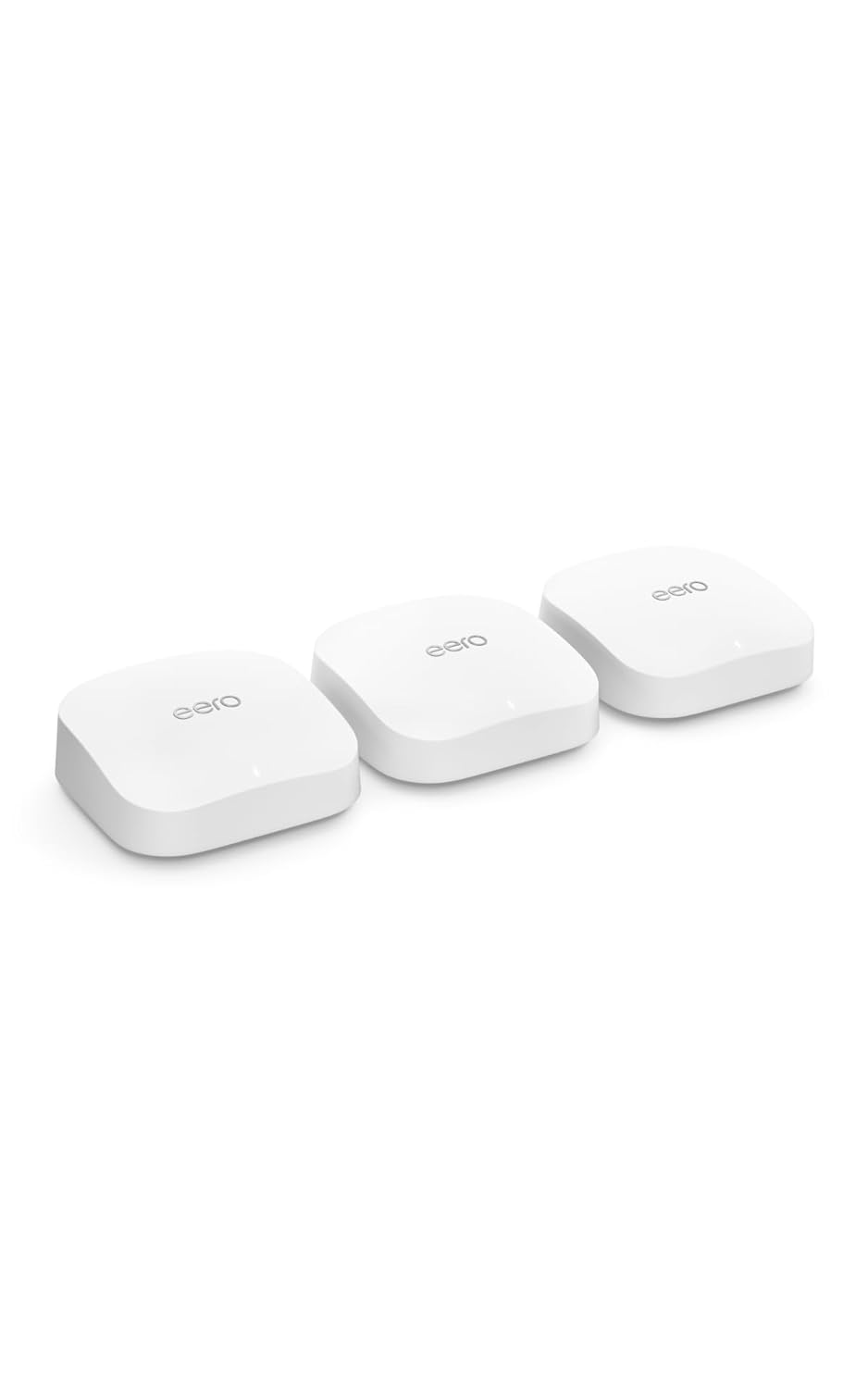
The eero Pro 6E covers up to 6,000 sq ft with tri-band WiFi 6E across three nodes, and the app lets a remote host manage guest networks, run speed checks, and handle supported troubleshooting without touching the hardware. It carries a substantial volume of buyer feedback, with thousands of Amazon ratings behind it.
STR Use Case: STR hosts use eero Pro 6E for its simple app-based management, easy remote troubleshooting, and built-in guest network feature that keeps guest devices isolated from host devices.
- Tri-band WiFi 6E gives the system access to 2.4 GHz, 5 GHz and 6 GHz spectrum, with eero dynamically managing client and mesh traffic
- Covers up to 6,000 sq ft with a 3-pack, handling most single-family STR footprints without adding nodes
- App-based remote management lets hosts monitor the network, run connection checks and perform supported remote troubleshooting from anywhere
- Built-in guest network keeps guest devices on a separate network from host devices and smart home equipment on the primary network
- Advanced security features and ad-blocking require an active eero Plus subscription ($9.99/month or $99.99/year); the guest network functions without it, but security controls are basic on the free tier.
This is right for you if: You want the most capable remote-management experience in a single-property or small-portfolio setup and are willing to pay a premium per property to get it.
TP-Link Deco AX1800 Mesh WiFi 6 System (3-pack, Deco X20)
$99–$129 | 4.4/5 (15,000+ Amazon reviews)

The Deco X20 delivers WiFi 6 mesh coverage across up to 5,800 sq ft for under $130, a per-property cost that makes it easy to justify across a multi-unit portfolio. At 15,000+ reviews and a 4.4-star rating, it is the most reviewed system on this list by a wide margin.
STR Use Case: Budget-conscious STR hosts use the Deco X20 to get reliable WiFi 6 mesh coverage across a mid-size rental at a low per-property cost, with a built-in guest network managed via the Deco app.
- WiFi 6 (802.11ax) dual-band, the modern standard that handles the simultaneous device loads typical guests bring
- TP-Link advertises up to 5,800 sq ft of coverage from a three-pack, which may be enough for many midsize rentals depending on layout and construction
- Guest network and parental controls managed through the Deco app, and the system supports management of multiple Deco networks under one TP-Link ID
- Lowest per-property cost on this list, making it viable to standardize across a large portfolio without significant capital outlay
- Dual-band only with no dedicated backhaul band. When nodes communicate wirelessly under heavy load, throughput to connected devices can drop noticeably. Ethernet backhaul is supported where a wired run is practical.
This is right for you if: You’re equipping three or more properties and need a reliable WiFi 6 mesh solution that keeps per-property hardware costs low without sacrificing guest network isolation.
Amazon eero 6+ Mesh WiFi System (3-pack)
$169–$199 | 4.4/5 (5,000+ Amazon reviews)

The eero 6+ sits in the middle of the eero lineup, with WiFi 6 dual-band and auto-sensing gigabit ports, covering up to 4,500 sq ft per 3-pack. For operators, its strength is that the eero app is well-suited to managing several separate property networks from one account view.
STR Use Case: Multi-property hosts use eero 6+ because the eero app supports managing multiple networks across different locations from a single account, making remote monitoring and guest network toggling straightforward at scale.
- WiFi 6 (802.11ax) dual-band with auto-sensing gigabit ports on each node, so wired backhaul is an option wherever a wired run is practical
- Covers up to 4,500 sq ft per 3-pack, sufficient for most standard vacation rental footprints
- The eero app manages multiple property networks from one account, reducing the operational overhead of monitoring connectivity across a portfolio
- Mid-range price point balances eero’s remote management quality against the per-property cost of scaling up
- No WiFi 6E support. Properties with heavy concurrent device loads or maximum throughput requirements are better served by the eero Pro 6E at a higher per-property cost. One eero Plus subscription applies to up to five networks, so larger operators should confirm subscription requirements if they want paid security features at every property.
This is right for you if: You’re managing five or more properties under one account and want eero’s remote management ecosystem at a cost that scales without the Pro 6E price tag at every location.
TP-Link Deco XE75 Pro Mesh WiFi 6E System (3-pack)
$279–$329 | 4.5/5 (3,000+ Amazon reviews)

TP-Link rates the Deco XE75 Pro three-pack for coverage of up to 7,200 sq ft, the largest footprint on this list, although actual range depends heavily on layout, construction and node placement. It adds a 6 GHz band that can strengthen wireless backhaul or serve compatible WiFi 6E devices, depending on how the network is configured. It’s the right tool for large cabins, multi-floor homes, or any property where a standard 3-pack leaves dead zones.
STR Use Case: Hosts with large vacation rentals, cabins, or multi-floor properties use the Deco XE75 Pro for its tri-band WiFi 6E coverage and the option to expand with additional nodes to eliminate dead zones.
- WiFi 6E (802.11ax) tri-band. The added 6 GHz band gives the mesh another path for inter-node traffic and compatible WiFi 6E devices, helping reduce pressure on the 2.4 GHz and 5 GHz bands
- Up to 7,200 sq ft of advertised coverage from a three-pack, the highest coverage figure on this list, suited for large vacation rental footprints
- 2.5G WAN/LAN port on each node supports high-speed internet connections and wired device hookups throughout the property
- Expandable with additional Deco nodes as your property layout demands, without replacing the existing hardware
- Higher price per unit than other options on this list. Guests with older devices cannot use the 6 GHz client band, which requires WiFi 6E-capable hardware to access.
This is right for you if: You operate a large cabin, multi-story home, or sprawling vacation rental where standard 3-packs leave connectivity gaps that generate guest complaints.
ASUS ZenWiFi XD5 Mesh WiFi 6 System (3-pack)
$199–$249 | 4.2/5 (215+ Amazon reviews)

The ZenWiFi XD5 is a three-unit WiFi 6 AX3000 system covering up to 5,000 sq ft, set up through the ASUS Router app in a three-step process. It puts a guest network that can be configured to block access to the primary network and per-network controls within easy reach, and lifetime AiProtection security means there’s no subscription gate on the core safety features hosts care about.
STR Use Case: STR hosts use the ZenWiFi XD5 for its quick three-step app setup and a guest network that can be configured to block access to the primary network, letting hosts share a separate guest SSID and password with renters. Hosts should disable Access Intranet to prevent guest devices from reaching the primary network.
- WiFi 6 (802.11ax) dual-band, handling modern guest device loads across phones, tablets, laptops, and streaming devices at once
- Up to 5,000 sq ft coverage per 3-pack, sufficient for most standard and larger single-family rentals
- Three-step ASUS Router app setup with a separate guest network, so hosts can update and share guest credentials when needed without on-site access
- Lifetime AiProtection network security included at no extra cost, with no subscription required for the core protection features
- Dual-band rather than tri-band, so under heavy simultaneous load the wireless backhaul shares bandwidth with client devices unless you use Ethernet backhaul where wiring allows.
This is right for you if: Guest network simplicity and fast setup are your priorities, and you want a system whose core security features don’t sit behind a monthly subscription.
What to look for in STR-grade mesh WiFi systems
Remote management is non-negotiable. When a node drops at 9pm on a Saturday, you want to handle it from your phone rather than wait until Monday or dispatch a cleaner to unplug it. Every system here offers app-based remote access, but the quality varies. Confirm the app supports remote network reboots and connection checks, not just status monitoring, before committing to a system at scale.
Remote management does not replace internet backup or on-site recovery. If the modem, ONT, router or property power is offline, app access may be limited or unavailable, since a host generally cannot fix a dead ISP connection by opening the mesh app.
Operators should consider a UPS, an independently connected or auto-rebooting power controller, and backup connectivity for high-value rentals. A standard WiFi smart plug may be unreachable during the outage it is meant to fix.
A properly separated guest network is one of the most important features in an STR setup. Putting guests on a separate SSID keeps their devices off the same network as any smart locks, thermostats, or cameras you run on the primary network. A properly configured guest network can prevent guest devices from reaching devices on the primary network. Hosts should confirm isolation settings after installation, particularly when using access-point mode or an ISP gateway. Every system on this list supports a guest network; the difference is how easily you can update and share the credentials.
Coverage area math matters more in rentals than homes. A 3,000 sq ft estimate on a box assumes an open floor plan.
Multi-story properties, thick concrete walls, and detached guest suites all reduce effective range. Buy for the worst-case layout, not the square footage on your listing. A satellite placed inside a dead zone may simply repeat a weak connection, so position nodes where they still receive a strong signal from the main unit, or use Ethernet backhaul where practical.
How we evaluated these products
Every system was evaluated through an STR operator’s lens, not a home user’s. We prioritized systems with documented app-based remote management, separate guest-network support, expandable mesh coverage, and the ability to manage more than one network where applicable.
Coverage figures and feature claims are drawn from each manufacturer’s current published specifications.
For hosts also evaluating the broader smart home stack, the same network reliability standards apply to every connected device at the property, from leak sensors like the Flo by Moen to lighting controls like the Lutron Caseta dimmer kit. All of them depend on the mesh holding up between check-ins.
TP-Link’s official Deco XE75 Pro product page, eero’s product lineup, and the ASUS ZenWiFi XD5 product page were used to verify specifications cited in this article.
*As an Amazon Associate, REWire Media earns from qualifying purchases. This article contains affiliate links and we may earn a commission at no additional cost to you. Amazon links use tag rewiremedia-20.*


