
Guest WiFi complaints kill reviews faster than almost any other operational failure.
Dead zones in back bedrooms, stuttering streams during peak evening hours, smart locks that drop offline — these problems generate one-star ratings and support calls that eat into your margins.
The TP-Link Deco X20 is a WiFi 6 mesh system designed to blanket entire properties in coverage while keeping costs manageable for hosts scaling across multiple units.
This is one of the most sensible WiFi investments for budget-conscious operators.
The Deco X20 trades bleeding-edge speeds for genuine whole-home reliability at a price point that makes equipping three or four properties financially realistic.
TP-Link Deco X20
~$150-$230 for 3-pack, varies by retailer | Amazon rating and review count vary by listing
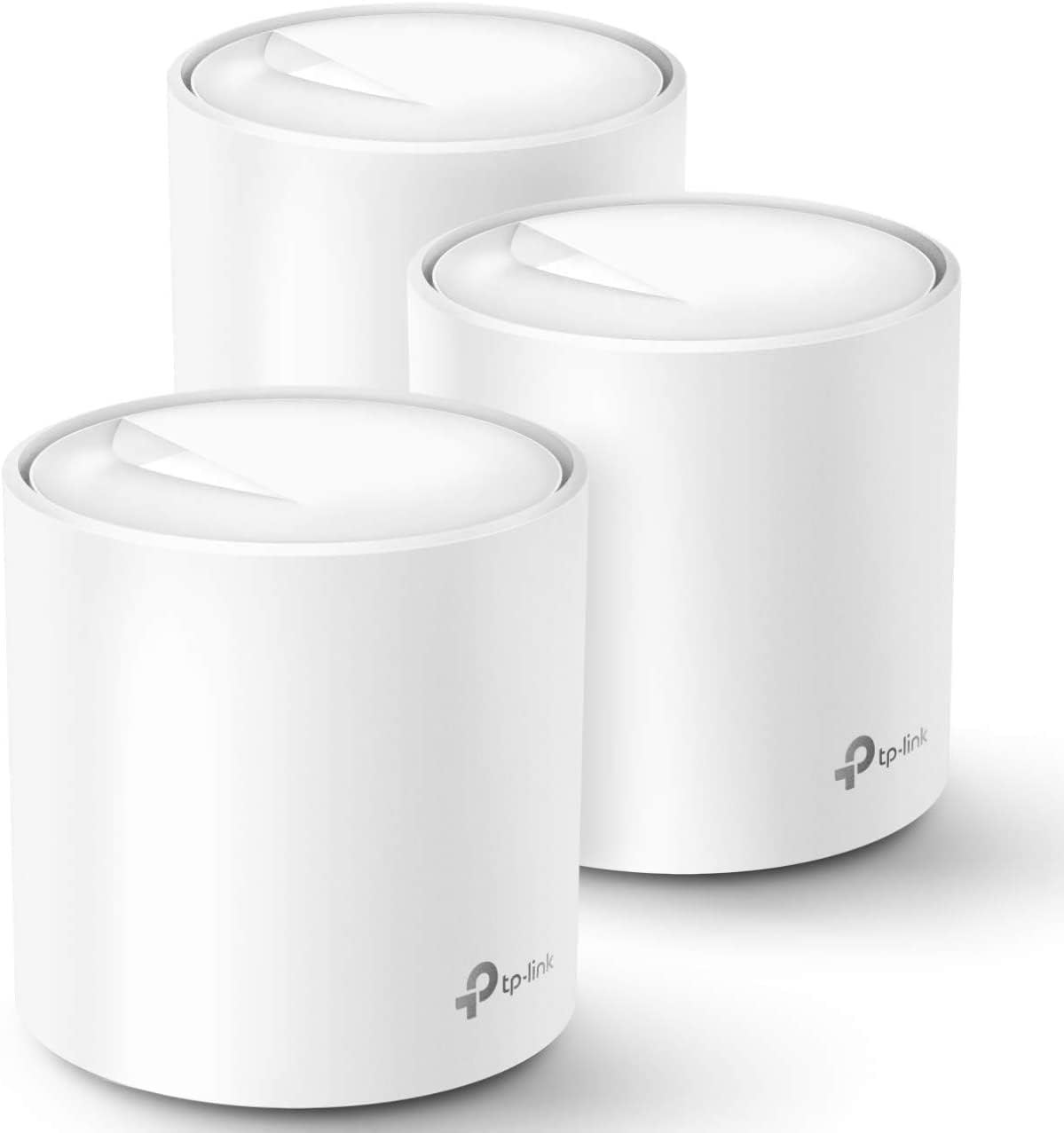
The short version: The Deco X20 delivers genuinely useful WiFi 6 mesh coverage at a price point that makes sense for equipping multiple STR properties, trading top-tier speed for accessibility and simplicity.
Disclosure: As an Amazon Associate, REWire Media may earn from qualifying purchases. This article contains affiliate links, and we may earn a commission at no additional cost to you.
How TP-Link Deco X20 scores for STR use
| Category | Tier | Why |
|---|---|---|
| Coverage & Speed | Strong | AX1800 provides solid throughput for typical guest streaming and smart home devices. 3-pack coverage claims are adequate for most STR footprints, though real-world performance depends on construction materials. |
| Remote Management | Strong | Deco app provides remote access for network monitoring, guest network management, and basic troubleshooting. Supports cloud management across multiple networks. |
| Multi-Property Scaling | Adequate | The Deco app can manage multiple homes, but each location requires separate login contexts. No centralized enterprise-style dashboard for fleet management. |
| Guest Network Isolation | Strong | Supports separate guest network with its own SSID and password. When configured properly, this helps keep guests separated from operational devices. |
| Setup Complexity | Excellent | Deco app provides guided setup that’s consistently praised as intuitive. Most users report completing installation in under 15 minutes without technical knowledge. |
| Reliability | Strong | User consensus generally reports stable operation. Mesh self-healing helps maintain connectivity if one node fails, and Ethernet backhaul is supported for properties with wired runs. |
| Value for STR Use | Excellent | Among the most affordable WiFi 6 mesh options with genuine whole-home coverage. Cost per property is manageable for hosts scaling across multiple units. |
Coverage and speed that handles the real guest load
The AX1800 rating breaks down to 574 Mbps on the 2.4GHz band and 1201 Mbps on 5GHz.
That’s entry-level WiFi 6, but entry-level WiFi 6 still handles what most STR guests actually do — streaming Netflix in multiple rooms, video calls, and keeping a dozen smart home devices connected simultaneously.
TP-Link claims up to 5,800 square feet of coverage with the 3-pack configuration.
Real-world performance will vary based on wall materials and layout, but the mesh architecture is designed to let guests roam between nodes with fewer dropped connections.
The system supports up to 150 devices, which provides headroom for properties with extensive smart home setups.
Remote management from anywhere
The Deco app is where STR hosts will spend their time.
It provides cloud-based remote access for monitoring network status, managing guest networks, and basic troubleshooting without driving to the property.
When a guest calls at 11 PM complaining about slow WiFi, you can actually diagnose the problem from your couch.
The app shows connected devices, lets you pause specific connections, and provides speed test functionality.
For hosts managing properties across town — or across state lines — this eliminates the most common WiFi-related site visits.
Multi-property scaling works, with caveats
You can add multiple Deco networks to a single app account. Each property appears as a separate location.
The limitation: there’s no unified dashboard view showing all properties simultaneously. You’re switching between contexts rather than seeing fleet-wide status at a glance.
For hosts managing three to five properties, this workflow is manageable.
Those running larger portfolios may find the context-switching tedious compared to enterprise solutions with centralized dashboards.
Guest network keeps your devices protected
The system supports a dedicated guest network with its own SSID and password.
Guests connect to their network while your smart locks, cameras, and thermostats stay on the primary network. When configured properly, this isolation helps keep guests separated from operational devices like locks, cameras, and thermostats.
Combined with WPA3 encryption support, you get reasonable security for a residential mesh system.
It’s not enterprise-grade network segmentation, but it handles the STR use case appropriately.
A setup that doesn’t require an IT background
The Deco app walks users through setup with step-by-step guidance.
User reviews consistently praise the process as intuitive, with most reporting completion in under 15 minutes. Plug in the first node, follow the app prompts, add additional nodes, and done.
For hosts who need to delegate setup to cleaners or property managers, this simplicity matters.
The person configuring the network doesn’t need networking knowledge — they need to follow on-screen instructions. It’s very user-friendly.
Reliability holds up under normal conditions
User reviews point to generally stable operation.
The mesh self-healing capability means if one node goes offline, the others compensate.
Guests may not even notice a single node failure in a three-node setup.
The system also supports Ethernet backhaul — if your property has wired runs between nodes, you can dramatically improve stability and throughput by removing the wireless mesh bottleneck.
Firmware updates can temporarily interrupt service, so hosts should check update settings and apply updates during turnover windows when possible.
The Deco app may allow update timing controls depending on model, firmware, and settings, so hosts should review those options before guest stays.
Value proposition for portfolio operators
At $150-$230 for a 3-pack, the Deco X20 sits at the affordable end of WiFi 6 mesh systems.
You’re getting genuine whole-home coverage for roughly what some single high-end routers cost. For hosts equipping multiple properties, this math matters.
The question isn’t whether faster systems exist — they do.
The question is whether AX1800 speeds meet your guests’ actual needs at a price that makes financial sense across your portfolio. For most standard STR operations, the answer is yes.
What we liked
- Competitive pricing makes WiFi 6 mesh accessible for hosts equipping multiple properties
- Simple app-based setup reduces installation time and doesn’t require technical expertise
- Ethernet backhaul support — if your property has wired runs, you can dramatically improve stability and reserve wireless bandwidth for client devices
- Compact cylindrical design blends into rental décor better than traditional routers with external antennas
Where it falls short
- AX1800 is entry-level WiFi 6 — hosts with gigabit internet may not fully utilize their connection speeds
- Dual-band design with no dedicated wireless backhaul; nodes share bandwidth for mesh communication, which can reduce throughput in larger wireless-only deployments (Ethernet backhaul mitigates this)
- Consumer mesh systems are not a substitute for business-class networking if you need VLANs, advanced logging, captive portals, or centralized fleet monitoring across many properties
Should STR hosts buy the TP-Link Deco X20?
The Deco X20 fits hosts managing multiple properties who need reliable WiFi 6 coverage without premium pricing.
If your rentals have typical streaming and smart home demands rather than bandwidth-intensive use cases, this system delivers. The combination of easy setup, remote management, and reasonable cost-per-unit makes it practical for scaling across a portfolio.
Look elsewhere if you have gigabit internet and want to maximize wireless throughput.
Tri-band systems such as the Deco X68, Deco XE75, or higher-end WiFi 6E/7 mesh systems can preserve more bandwidth for client devices through an additional band or more advanced backhaul options.
Properties over 3,000 square feet with challenging layouts — lots of concrete, metal construction, complex floor plans — may benefit from more powerful systems or wired Ethernet backhaul between nodes.
You’re a budget-conscious host managing multiple properties who needs reliable WiFi 6 coverage without premium pricing. Well-suited for rentals with typical streaming and smart home demands rather than bandwidth-intensive use cases.
You have gigabit internet and want to maximize wireless throughput — consider tri-band systems like Deco X68 or XE75, or WiFi 6E/7 options. Properties over 3,000 sq ft with challenging layouts may benefit from more powerful systems or wired Ethernet backhaul.
*As an Amazon Associate, REWire Media earns from qualifying purchases. This article contains affiliate links and we may earn a commission at no additional cost to you. Amazon links use tag rewiremedia-20.*


